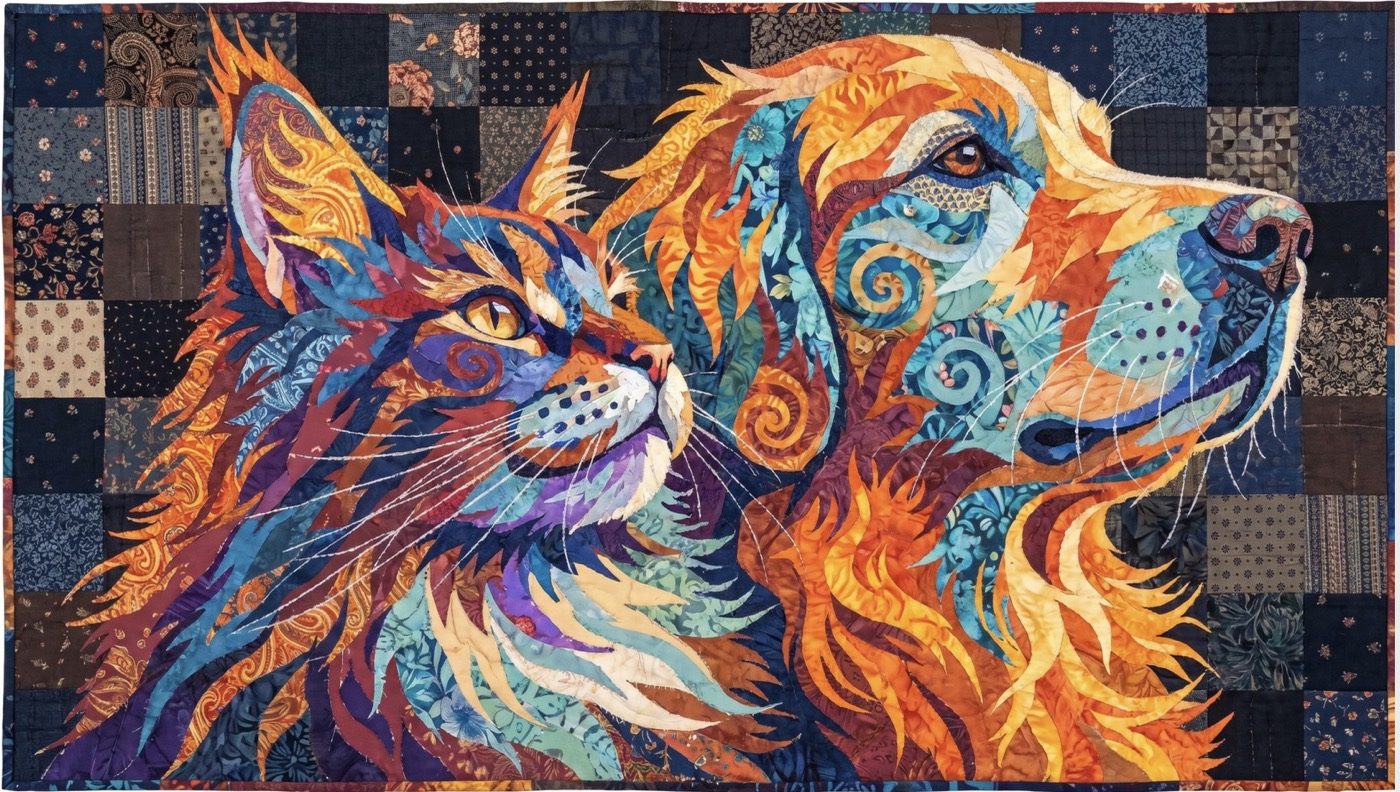
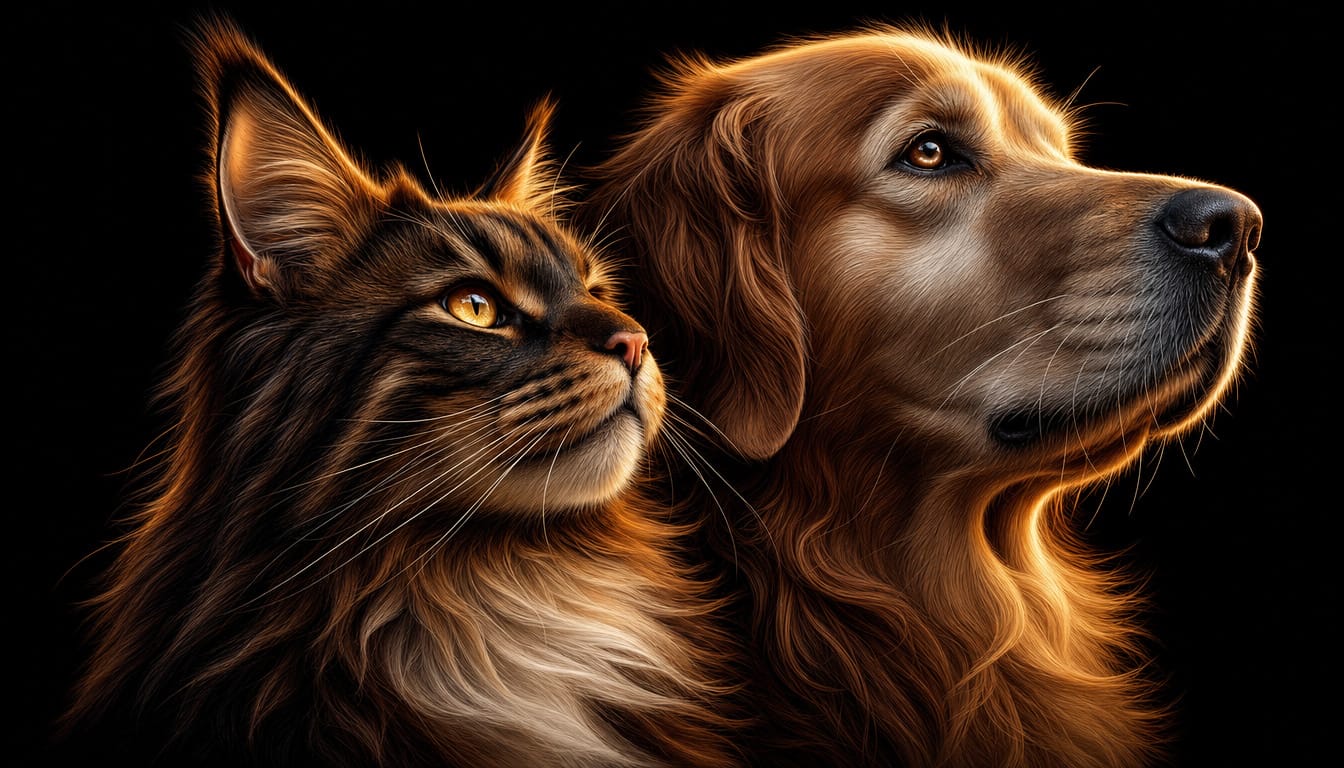
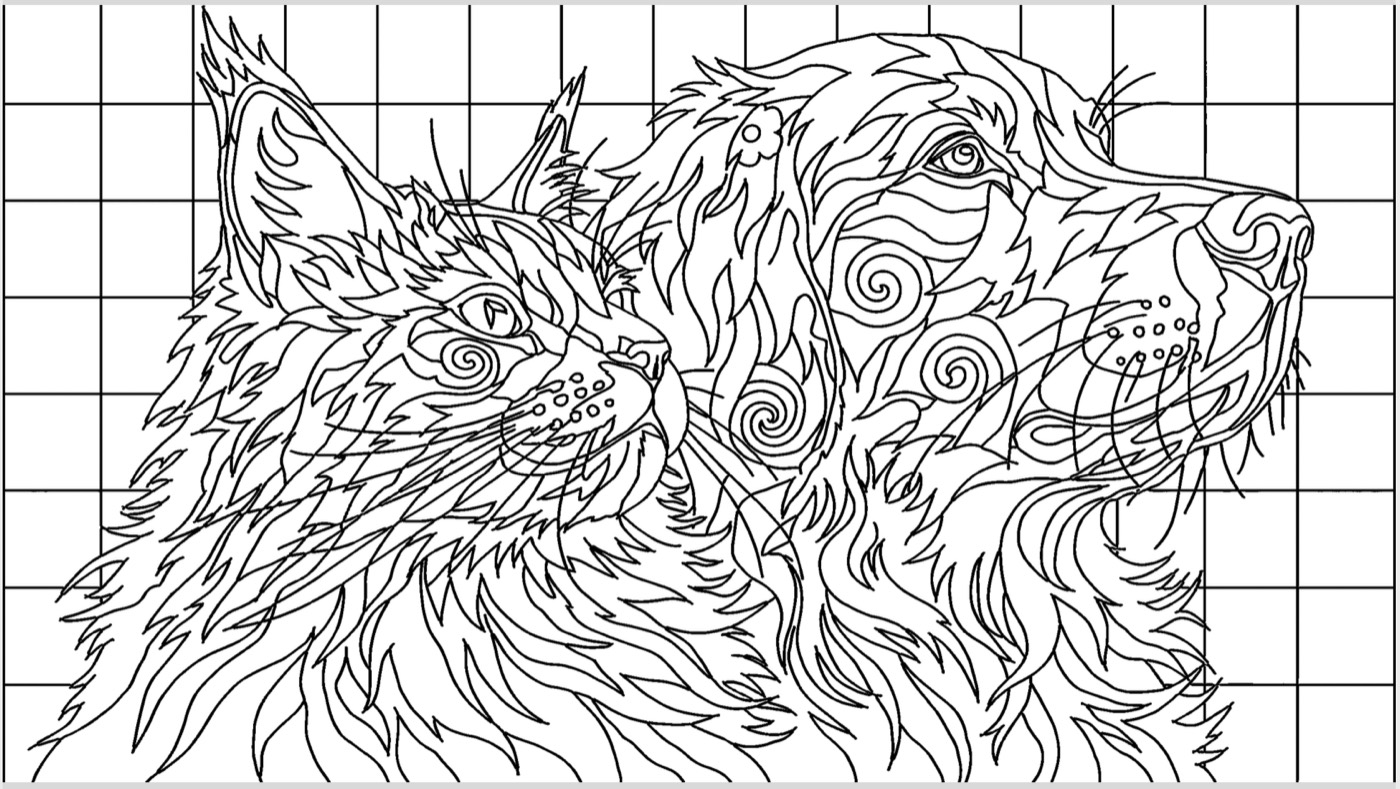
Turn any photo into the thing you make.
Load a photo — a pet, a landscape, the grandkids — and make a traceable outline, a fabric-collage art quilt, a hooked-rug preview, a stained glass design, a wood-burning pattern, or a jigsaw puzzle. Five crafts and more in one app, each with its own tab. No drawing skills, no tracing paper, no light box.
Mac & Windows · one-time purchase · free bug fixes forever
Three steps from photo to pattern
No design experience needed — TraceWorks does the redrawing for you.
- 1
Load your photo
Open any picture from your computer — a pet, a quilt block, a favourite view. Anything you'd like to make.
- 2
Pick your craft
Walk up to the tab for the thing you're making — a traceable outline, an art quilt, a hooked rug, a stained glass design, a wood-burning pattern, or a jigsaw puzzle — and click Generate.
- 3
Refine it, print it, make it
Change one thing without losing the rest, then save as a PNG or PDF at the exact size you need. That's it.
Five crafts. One app.
Every craft gets its own tab, self-contained: image, options, generate, refine, save.
- Tracing — the clean, bold outline TraceWorks is known for
- Quilt Collage — a fabric-collage art quilt, then its piece-by-piece placement pattern
- Rug Hooking — Rug Hook Studio is now part of TraceWorks 2.0: the whole app lives here as its own tab, every feature intact
- Stained Glass — a realistic window design with practical, cuttable pieces, plus the cartoon to cut from
- Wood Burning — pyrography line art on your choice of board
- Puzzle — your photo as a jigsaw, including an exact cutting template for scroll saw, laser and CNC folks
the pattern to hook
The real app — nothing to figure out
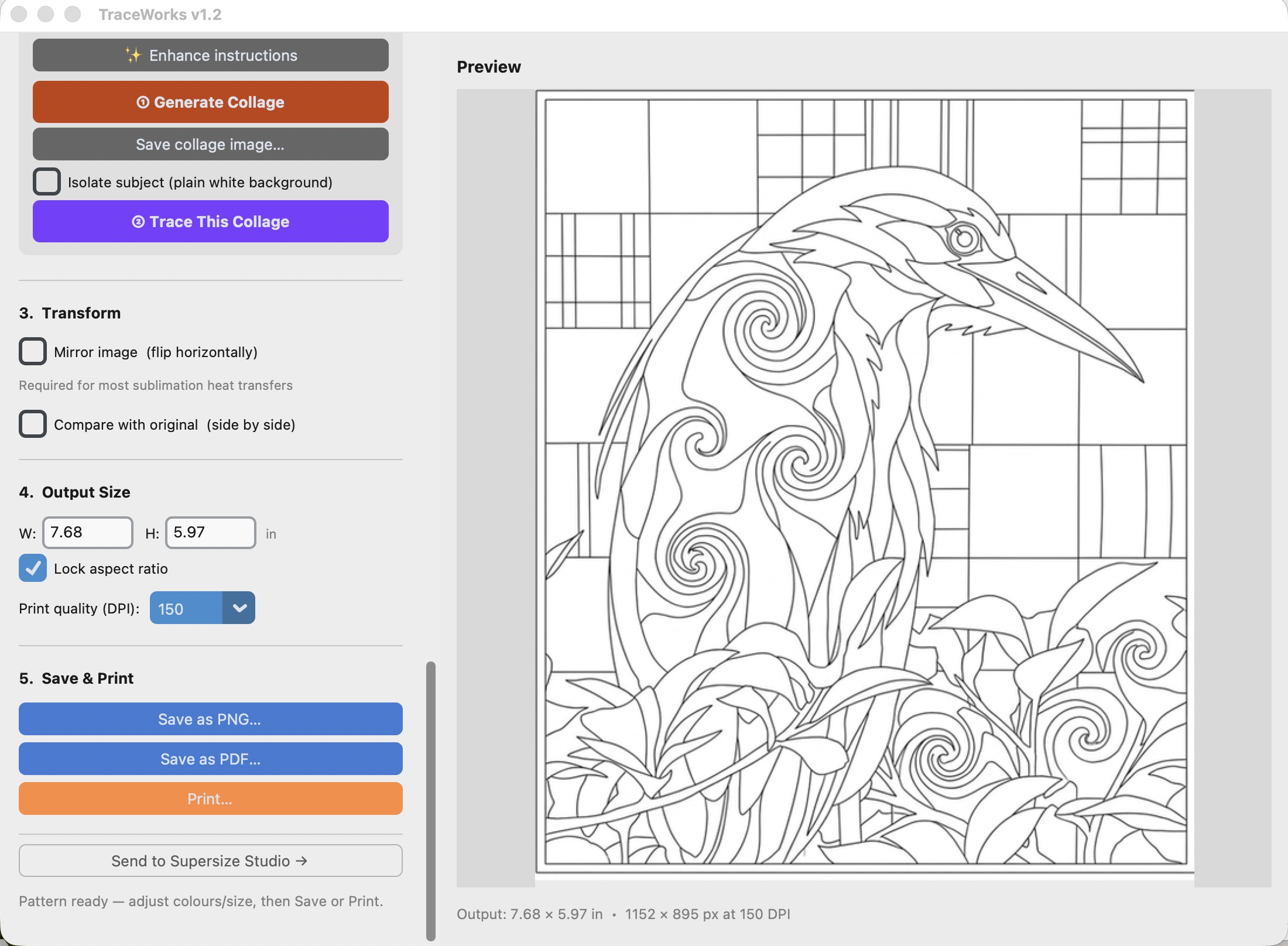
Craft tabs across the top, options down the side in the order you work, and a big shared preview that shows exactly what you'll get before you print a thing.
- Every generation lands in the version history — jump back anytime
- Compare your result against the original, side by side
- Mirror for iron-on transfers, set exact output size, then save or print
Everything you need, nothing you don't
🪄 Adjust the photo first
Edit the photo itself before you craft — “remove the fence,” “add a wolf cub beside the tree” — and the change carries into every craft.
✨ Refine without starting over
Change one thing — “make the sky dawn pink” — and only that changes. Your result comes back edited, not regenerated from scratch.
Special effects that stack
Mandala, kaleidoscope, Celtic knotwork, printmaking, borders and more — apply them to the photo or the result, and stack them.
Your colours, enforced
Six saved palettes of twelve colours each. Rename one My Stash, set your swatches, and every generation stays close to them.
Version history & blending
Every result becomes a version chip — jump back anytime, or blend any two versions with a slider and keep the best of both. Free, no AI cost.
Symmetry Lab — free
Mirrors, quadrants, rosettes and pinwheels, computed exactly on your computer. Instant, perfect, and never costs a cent.
Print to any size
Export a PNG or PDF at exact dimensions — or send it to SuperSize Studio to tile poster-size across multiple pages.
Your photos stay yours
TraceWorks runs on your computer, and we never collect or store your photos.
See what people are making
Rugs, quilts, and works in progress — all made from patterns that started as someone's photo. Browse them for ideas, or add your own.
One price. Yours for good.
No subscription, no renewals. Buy it once and keep it.
- All five crafts, special effects, palettes & the Symmetry Lab
- Lifetime access — buy once, own it
- Free bug fixes, forever
- 12 months of product updates included
- Desktop app for Mac (Apple Silicon, M1 or later) & Windows 10/11
- Includes TraceWorks 2 Web — tracing, Collage Quilt & Rug Hooking in the browser on iPad, iPhone & tablets
- Already own TraceWorks or Rug Hook Studio? TraceWorks 2.0 is a free upgrade — your license just works
Powered by Google's Gemini AI — a Gemini API key is required. Generating images typically costs 7–25 cents each, billed directly by Google, never by us — and the app shows the exact price before you click. The built-in user manual walks you through getting your key, step by step. It's easy.
Questions, answered
I already own TraceWorks or Rug Hook Studio. Do I have to buy again?
No — TraceWorks 2.0 is a free upgrade. Your existing license key (TraceWorks or Rug Hook Studio) unlocks it, and if the old app is already activated on your computer, TraceWorks 2.0 simply uses that activation — you won't even be asked for the key. It installs alongside your current apps, so nothing is replaced.
Where did Rug Hook Studio go?
It's now part of TraceWorks 2.0 — the whole app lives on as the Rug Hooking tab, with every feature intact: materials, cut sizes, wool colours, relief, backing colour, true-scale loops. If you own Rug Hook Studio, TraceWorks 2.0 is free for you and your license just works.
Do I need to be good with computers?
No. If you can use email and a web browser, you can use TraceWorks. The screens are large, plainly labelled, and walk you through each step.
Can I use TraceWorks on my iPad or iPhone?
Partly — TraceWorks Web is included free with every license and runs right in the browser on iPad, iPhone, Android tablets, Chromebooks, and any computer: same license key, at traceworks.blazingconcepts.co/app. It covers tracing, Collage Quilt and Rug Hooking; the full five-craft TraceWorks 2.0 experience is the Mac and Windows app. iPad tip: in Safari, tap Share and choose "Add to Home Screen" to give it its own icon, just like a real app.
Does it work on my computer?
Yes — TraceWorks runs on both Mac and Windows. Mac: requires an Apple Silicon Mac (M1 or later, 2020 onward). Windows: Windows 10 or 11. You buy the version for your computer and install it like any other app.
How do I install it on my Mac? It warns me about malware.
That warning is Apple being overprotective of apps that don't come from its App Store — it's a one-time thing, and the app is safe. We're working on Apple's notarization certification for a permanent fix; in the meantime, installing takes four quick steps:
- Double-click the downloaded .dmg file. A window opens — drag the app icon into the Applications folder, then close that window.
- Open your Applications folder and double-click the app. You'll get a warning that it can't be checked for malware — click Done (NOT Move to Trash).
- Open System Settings (Apple menu, top left) → Privacy & Security → scroll down to the Security section. You'll see a note that the app was blocked — click Open Anyway and enter your Mac password.
- The app opens, and your Mac remembers — you'll never see the warning again.
On older Macs (before macOS Sequoia) it's even quicker: right-click the app, choose Open, then click Open again.
The Windows download warns me — "isn't commonly downloaded." Is it safe?
Yes — that message is your browser being extra careful with software from smaller companies. The installer is digitally signed, but browsers hide new files until you confirm you want them. Three quick steps:
- Click the Downloads icon near the top-right of your browser (a small downward arrow — or press Ctrl+J to open the downloads list).
- Find the TraceWorks Setup.exe file, click the "..." menu (or "Keep") beside it, and choose Keep — if it asks a second time, choose "Keep anyway."
- Click the file to run it. If Windows shows a blue "Windows protected your PC" screen, click "More info," then "Run anyway." The installer takes it from there.
You only do this once — after installing, it opens like any other program. The warning fades on its own as more people download each new version.
Does it need the internet?
Yes. TraceWorks uses Google's Gemini AI to redraw your photos, so it needs a connection and your own Gemini API key. The built-in user guide walks you through getting that key once — it takes about two minutes — and your photos are never stored by us.
Is an API key required?
Yes. An API key for Google's Gemini AI is required to generate your images. Each image typically costs 7 to 25 cents, depending on the quality you choose — the app shows you the exact price before you click — and that small charge is billed directly by Google, never by us. The built-in user manual gives you step-by-step, easy-to-follow instructions for getting your key, and it only takes a few minutes. Prefer to watch instead?
Watch the video: getting your keyIs it really a one-time purchase?
Yes. Buy once and it's yours — no subscription. You get free bug fixes forever, plus 12 months of product updates from the date you buy.
What is Collage Quilt?
A mode that rebuilds your subject from patterned-fabric squares — the fabric-collage art-quilt look — and can then trace that into a piece-by-piece pattern.
Still wondering about something? Ask us — we answer.
Ready to make something from your photos?
Pick your version and you'll be crafting from your own photos tonight.